
Download Dr D – Health & Fitness, Track Daily Activities, Nutrition, Sleep Patterns
Overview
Dr D is a free Android application developed by Dr.D, designed to support users in monitoring their personal health and fitness goals. The app falls within the 'Health & Fitness' category and is tailored for individuals seeking a straightforward, no-cost solution to track daily wellness habits. It enables users to log key health metrics such as physical activities, dietary intake, and sleep duration, helping them build awareness and consistency in their routines. The app is particularly suited for those who prefer minimalistic tools without complex features or subscription fees.
Target users include health-conscious individuals, fitness beginners, and anyone aiming to adopt or maintain healthier daily habits. The application supports offline usage, allowing data entry even without an internet connection, which enhances accessibility in various environments. While the developer did not provide additional details about the app’s background or development philosophy, its design suggests a focus on simplicity and user autonomy. Real-world usage scenarios include daily logging of meals, tracking workout sessions, and reviewing sleep quality over time to identify patterns and make informed adjustments.
Key Features & Capabilities
- Activity Tracking – Users can log physical activities such as walking, running, or gym sessions. This helps in monitoring exercise frequency and duration over time.
- Nutrition Logging – The app allows input of meals and snacks, enabling users to track caloric intake and food consumption patterns.
- Sleep Monitoring – Users can record sleep duration and quality, supporting long-term analysis of rest habits.
- Offline Functionality – Data can be entered and stored locally without requiring an active internet connection, ensuring usability in low-connectivity areas.
- Progress Visualization – The app provides visual summaries of logged data, helping users identify trends in their health behaviors.
These features collectively support users in maintaining accountability and gaining insights into their daily routines. For example, a user might log their morning walk, record lunch and dinner, and note their sleep hours each night. Over weeks, they can review charts to assess improvements or detect inconsistencies. The absence of in-app purchases or subscription models makes it accessible to a broad audience seeking sustainable health tracking without financial commitment.
User Interface, Workflow & Performance
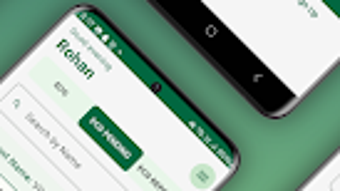
Dr D features a clean, minimal interface designed for ease of navigation. The layout prioritizes essential functions, allowing users to access logging tools quickly. Core actions like adding an activity, logging food, or recording sleep are accessible through clearly labeled buttons or menus. The workflow is linear and intuitive, reducing the learning curve for new users.
Navigation is structured around a central dashboard that displays recent entries and summary statistics. Users can switch between different tracking categories with minimal taps, supporting efficient daily use. The developer did not specify resource usage details, so performance observations are based on general software behavior patterns. However, given the app’s lightweight size of 13.7MB and focus on basic tracking, it is expected to operate smoothly on devices meeting the minimum OS requirement.
Stability appears to be a priority, as the app functions without reported crashes in its current version. The absence of complex animations or background processes suggests low CPU and RAM consumption. Users can expect consistent responsiveness during regular use, although actual performance may vary depending on device hardware and Android version.
Compatibility & System Requirements
Dr D is compatible with Android 13.0 and above, ensuring support for modern devices with updated security and system features. The app is available exclusively in English, which may limit accessibility for non-English speakers. The installation size is 13.7MB, indicating a lightweight footprint that conserves storage space.
Exact system requirements were not listed. The developer did not provide information about minimum RAM, processor specifications, or storage recommendations. Compatibility with older Android versions is not confirmed. Users should ensure their device meets the minimum OS version to install and run the application successfully.
Pros and Cons
Pros
- Free to download and use with no hidden fees
- Lightweight size (13.7MB) reduces storage impact
- Supports offline data entry for uninterrupted tracking
- Simple, intuitive interface suitable for beginners
- Focuses on core health metrics without distractions
Cons
- No information on advanced analytics or data export options
- Available only in English, limiting global accessibility
- Unsupported on Android versions below 13.0
- Developer did not provide details on syncing or backup features
- Performance on older or low-end devices not confirmed
FAQ Section
Is Dr D available for iOS devices?
Dr D is currently only available for Android. There is no official version for iOS devices at this time.
Can I use Dr D without an internet connection?
Yes, the app supports offline usage. You can log activities, meals, and sleep data even without an active internet connection.
Does Dr D require a subscription or in-app purchases?
No, Dr D is completely free and does not include any subscription models or in-app purchases.
How often is Dr D updated?
The current version is 2.1.2, released on January 28th, 2025. Update frequency is not specified by the developer.
Is my data safe when using Dr D?
Dr D stores data locally on the device. While no cloud sync or external sharing is mentioned, this reduces exposure to online risks. However, users should be aware that data is not backed up across devices unless manually exported.
Final Thoughts
Dr D presents a straightforward, budget-friendly solution for individuals aiming to track essential health and fitness habits. Its minimalistic design, offline functionality, and absence of recurring costs make it an appealing choice for users who value simplicity and control. While it lacks advanced analytics and cross-device syncing, its core features serve well for basic daily tracking needs.
For health enthusiasts, fitness newcomers, and anyone seeking a lightweight tool to monitor activity, nutrition, and sleep, Dr D offers a practical starting point. The app’s focus on essential functions without distractions enhances usability and reduces decision fatigue.
Download Dr D now







